
Nationwide Coverage



Knowledge Center

Heavy Hitters
Fanvil V61G
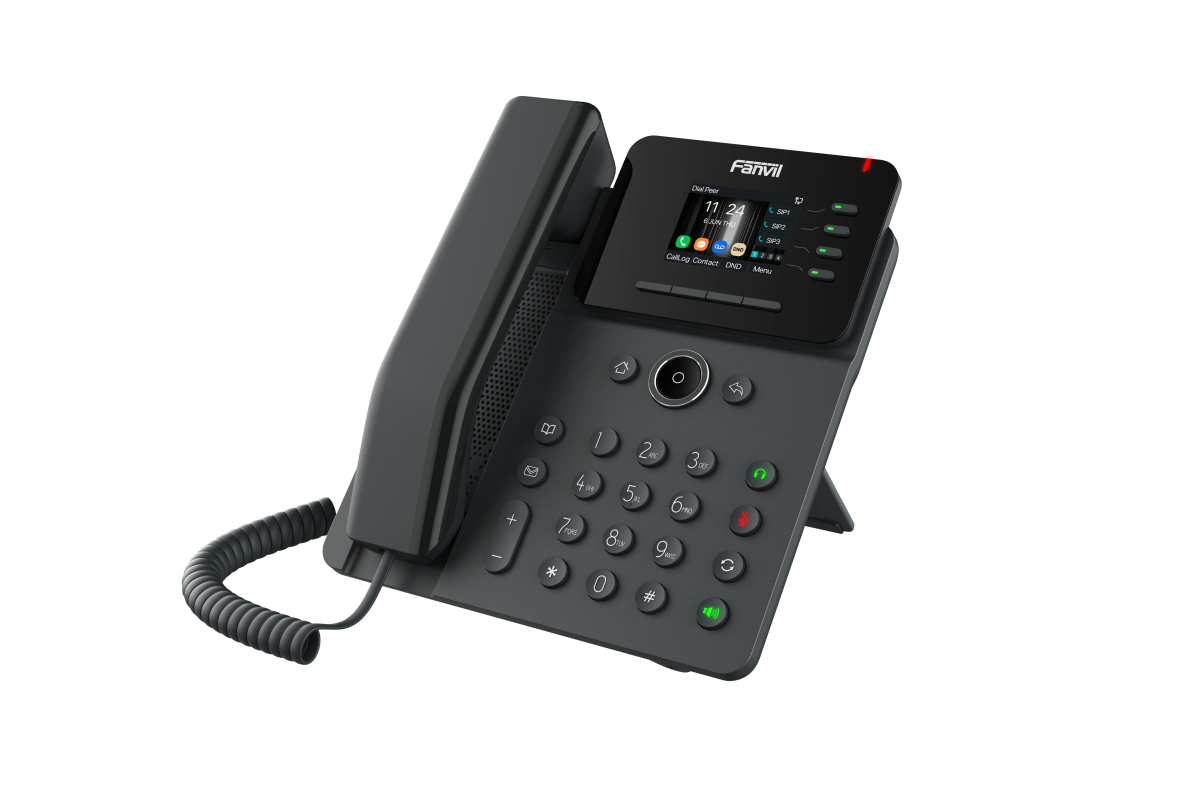
A top choice for business environments, this reliable 4-line Gigabit phone features a full duplex speakerphone and leads the business VoIP market. With a strong record of successful installations, it's our go-to solution for many workplaces..
Yealink CP925
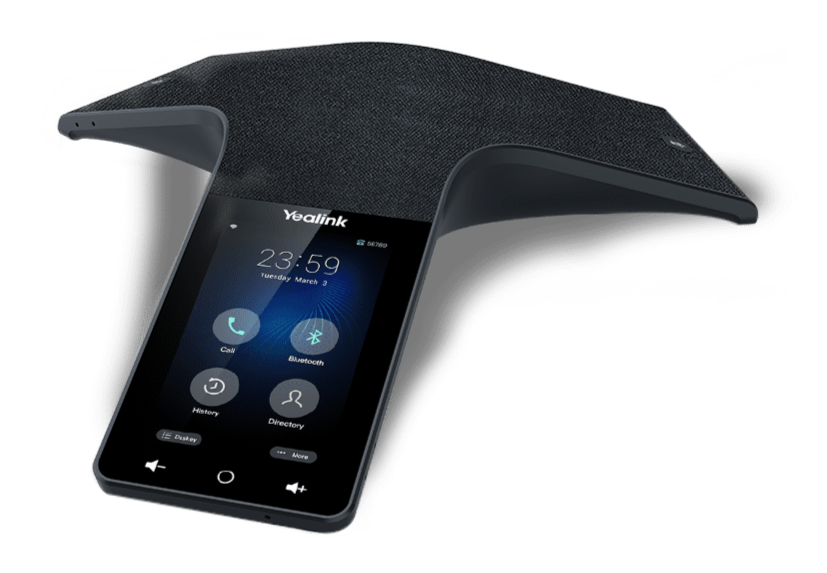
The Yealink CP925 is a touch-sensitive HD conference phone designed for small to medium-sized rooms. With built-in Bluetooth and Wi-Fi, a sleek design, and spill-resistant acoustic fabric, it fits seamlessly into any professional environment.
Learn more about our Recommended Voip Phones for use with our Hosted PBX Service.
Call Recording
Record your calls with Hosted PBX / Virtual PBX and access them anytime through the Web!

Call Recording is an effective tool for:
- Training
- Dispute Resolution
- Regulatory Compliance
We'll keep the recordings safe in our data centers so they are there when you need them. Contact us to start recording your calls!
You are here
New CTI Feature for Hosted PBX - Click To Dial

Monmouth Telecom released a Google Chrome Extension which enables Virtual PBX users to click any telephone number on a web page, and automatically dial that telephone number. This Add-On is completely free for users with Hosted PBX. The Plugin is available on Google's playstore.
Advantages of Click-To-Dial
- Saves Time - You don't have to read the number from the screen and then dial it into the phone.
- Prevents Dialing Mistakes
Description from Add-On Market
The Click-To-Dial Add-On is only applicable to Monmouth Telecom Hosted PBX Customers. This Add-On turns all telephone numbers on every web page into links. When you click one of these links you will automatically dial the telephone number using your extension. To authorize the Click-To-Dial Add-On, you must be logged into your Hosted PBX User Console.
Get Started Today
News
-
Mar 24 2025
-
Mar 20 2025
-
Feb 20 2025
-
Sep 3 2024
Call Queues
Handle large call volumes efficiently with Call Queues.
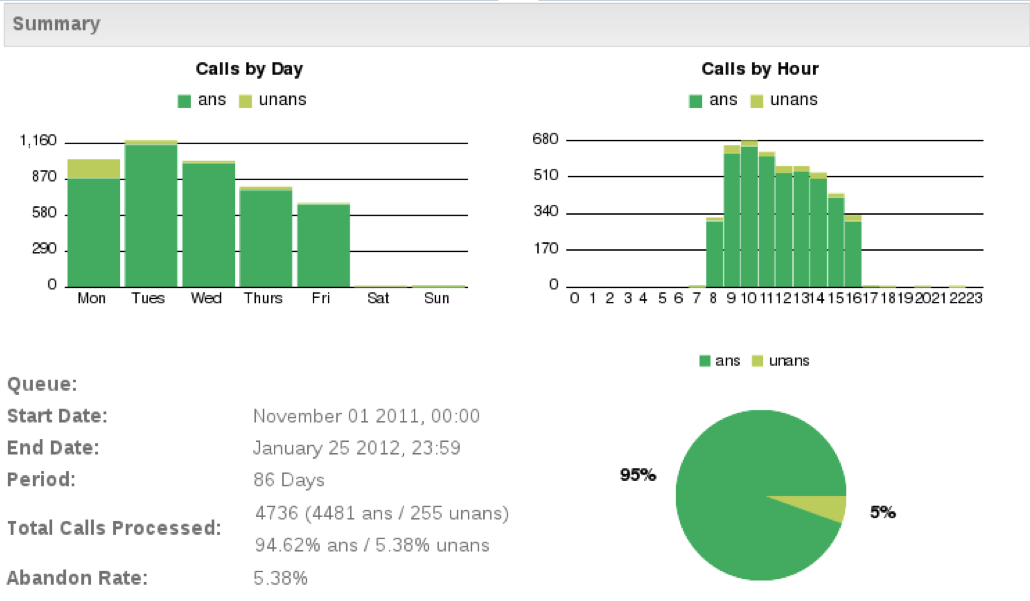
Take control of your incoming calls with Call Queue Statistics. Another free feature of our Hosted PBX / Virtual PBX Service.
Cable Failover
All of our integrated services, including Hosted PBX over Fiber Internet or T1 Service, are fully compatible with a backup cable modem. With Cable Failover you can enjoy the quality of a dedicated connection with the added reliability and bandwidth of a backup cable or fios connection.
Monmouth Telecom
Founded as an Internet Service Provider in NJ in 1995, Monmouth Telecom has grown to offer a complete set of innovative and economical Business VoIP Phone Services and Business Internet Services. We were NJ's first Internet Service Provider turned Telephone Company in 2000 and in 2006 we began providing businesses with increased functionality using VoIP. Learn more about Who We Are and how Hosted PBX / Virtual PBX is changing the face of business telephone service.
Contact Us
Receive a Free Consultation
877-MONMOUTH
877-666-6688
sales@monmouth.com
Customer Service
732-704-1000
contracts@monmouth.com
Technical Support
Network Operations: 732-704-9000
HPBX Support: 732-704-9950
noc@monmouth.com
hpbx-support@monmouth.com
Locations
Headquarters
Monmouth Telecom
1 Industrial Way West
Bldg D Ste A
Eatontown, NJ 07724
Key Data/Switching Facilities
12 N 7th St.
Camden, NJ 08102
165 Halsey St.
Newark, NJ 07102
423 Washington Ave.
Pleasantville, NJ 08232
18 Paterson St.
New Brunswick, NJ 08901
95 William St.
Newark, NJ 07102
Learn More
Customer Testimonials
Data Services
Business Internet Service
Private Data Networks
Fiber Internet
Network Cabling
Business VoIP Phone Service
Business Phone System
Disadvantages of PBX
Virtual PBX / Hosted PBX
Office VoIP Phones
Features
FAQ
Cisco Vs Polycom
DECT Vs WIFI
CRM Integration
Call Queue Statistics
Click To Dial
Technology Partners
Legacy Telephone Line Terms
 All staff located in NJ USA. No overseas outsourcing.
Theme by Danetsoft and Danang Probo Sayekti inspired by Maksimer